The Wall Outlet Bill Nobody Budgets For: 30 Days Measuring Every Watt My Side Projects Burn
Here's an embarrassing confession from the lab: I can tell you my cloud spend to the cent. I have alerts. I have a budget line. But if you'd asked me last month what my own hardware costs to run — the mini PC, the two Raspberry Pis, the old laptop acting as a backup target — I would have shrugged and guessed "like ten bucks a month?"
I was wrong. Not catastrophically wrong, but wrong in the way that adds up to a nice dinner out every year. And the carbon angle surprised me even more than the dollar angle.
So this became a proper lab experiment: 30 days, a handful of smart plugs, one kill-a-watt meter, and a spreadsheet that eventually grew tabs I'm not proud of.
The Setup: Every Device Gets a Plug
The rules were simple. Every always-on device in the lab gets a TP-Link Kasa smart plug (about $15 each, and they do local energy reporting without a subscription). Anything that sleeps most of the day got measured with the kill-a-watt meter over a few representative days instead.
The roster:
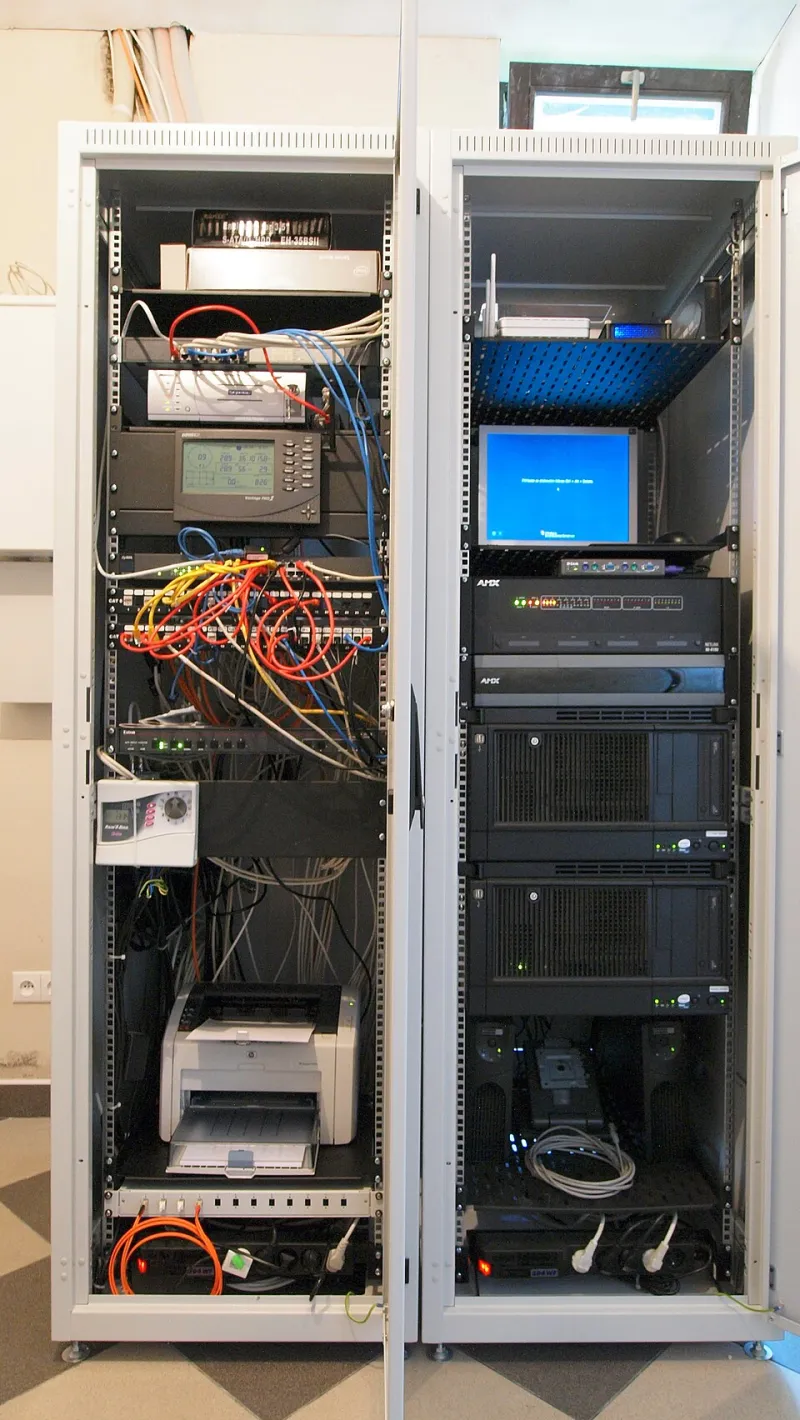
- Mini PC (the main homelab box, runs Docker, my side project's API, and a bunch of self-hosted stuff)
- Raspberry Pi 4 (Pi-hole plus a monitoring stack)
- Raspberry Pi Zero 2 W (doorbell project — yes, the one with the group chat)
- 2013 MacBook Pro (backup target and cold storage, mostly idle)
- Network gear (modem, router, a small switch — because those run 24/7 whether I "count" them or not)
I logged readings daily for the first week, then switched to every-other-day once the numbers stabilized. My electric rate here in the Midwest is about $0.14/kWh all-in, which is actually on the cheap side for the US — California readers, brace yourselves accordingly.
The Numbers, Tab by Tab
Let's skip to the good part. Averaged over the month:
| Device | Avg watts | Monthly kWh | Monthly cost |
|---|---|---|---|
| Mini PC | 18W | 13.0 | $1.82 |
| Pi 4 | 5.5W | 4.0 | $0.56 |
| Pi Zero 2 W | 1.8W | 1.3 | $0.18 |
| MacBook (idle) | 9W | 6.5 | $0.91 |
| Network gear | 14W | 10.1 | $1.41 |
| Total | ~48W | ~35 kWh | ~$4.90 |
Under five bucks a month. Honestly? Better than I feared. My "ten bucks" guess was too pessimistic — but only because I'd mentally rounded everything down to zero and then panic-rounded back up.
But here's the part that actually changed my behavior: the ratio. My network gear — dumb hardware I never think about — drew almost as much as the mini PC doing actual work. The Pi 4 running Pi-hole costs more to run than the Pi Zero 2 W handling my doorbell, for a service I could consolidate. And the idle MacBook was the single most expensive computer in the lab despite doing almost nothing.
Idle hardware is the silent tax. It doesn't show up in any dashboard because it's not failing — it's just... on.
The Carbon Math
Converting to CO2 depends heavily on your grid. I pulled my region's eGRID data (the EPA publishes it; look up your subregion) and my grid runs at roughly 450g CO2 per kWh — a pretty typical natural-gas-heavy US mix.
35 kWh/month × 450g = about 15.7 kg of CO2 per month, or ~190 kg per year. For context, that's roughly the emissions from driving a gas car 480 miles. Not nothing, not catastrophic. It's the footprint of a small appliance you forgot you own.
The interesting realization: my side project's cloud footprint, if I moved it to a modest VPS, would likely be a rounding error on a hyperscale provider's sustainability report — but my personal footprint running it at home is fully mine, visible, and metered. There's something clarifying about that. The cloud abstracts away the watts. The wall outlet doesn't.
What I Changed
The experiment ended, but a few fixes stuck:
- The MacBook went to a smart plug on a schedule. It wakes for weekly backups via Wake-on-LAN and sleeps the rest of the time. Saved ~0.7 kWh/month for zero effort.
- Pi-hole migrated onto the mini PC as a container. One less always-on device, and the Pi 4 is now a shelf spare for the next experiment.
- CPU governor tuned on the mini PC.
powersavewhen idle,performanceon demand. Dropped the idle draw from 18W to about 13W. - The smart plugs stayed. The energy monitoring is now part of my Grafana dashboard, which means — predictably — I have a dashboard about my dashboard.
Net effect: the lab dropped to roughly 36W average, about $3.70/month, and ~14 kg CO2. Modest numbers, but the visibility is the real product here.
Should You Bother?
If you run a homelab, yes — but not for the savings. At under $60/year, this will never be a financial crisis. Do it because measuring things is the whole point of having a lab. I learned my network gear is a bigger power hog than my compute, that idle laptops are vampires, and that my instinct about costs was off in both directions before I measured.
Total experiment cost: about $45 in smart plugs, one afternoon of setup, and a spreadsheet with — I'm admitting this publicly — nine tabs.
Some of those tabs were unnecessary. But that's a different lab note.